MODULAR
CONNECTED LIGHTING:
THE BUILDING BLOCKS
Getting started …
… or use optional
controls
At the heart of Modular’s connected luminaires are
the Modular connected 1-10v white component (1)
or the Philips Hue bulbs (2) and bridge (3) – plus a
Wi-Fi network (4). The Philips Hue bridge enables
users to control all the Philips Hue products via
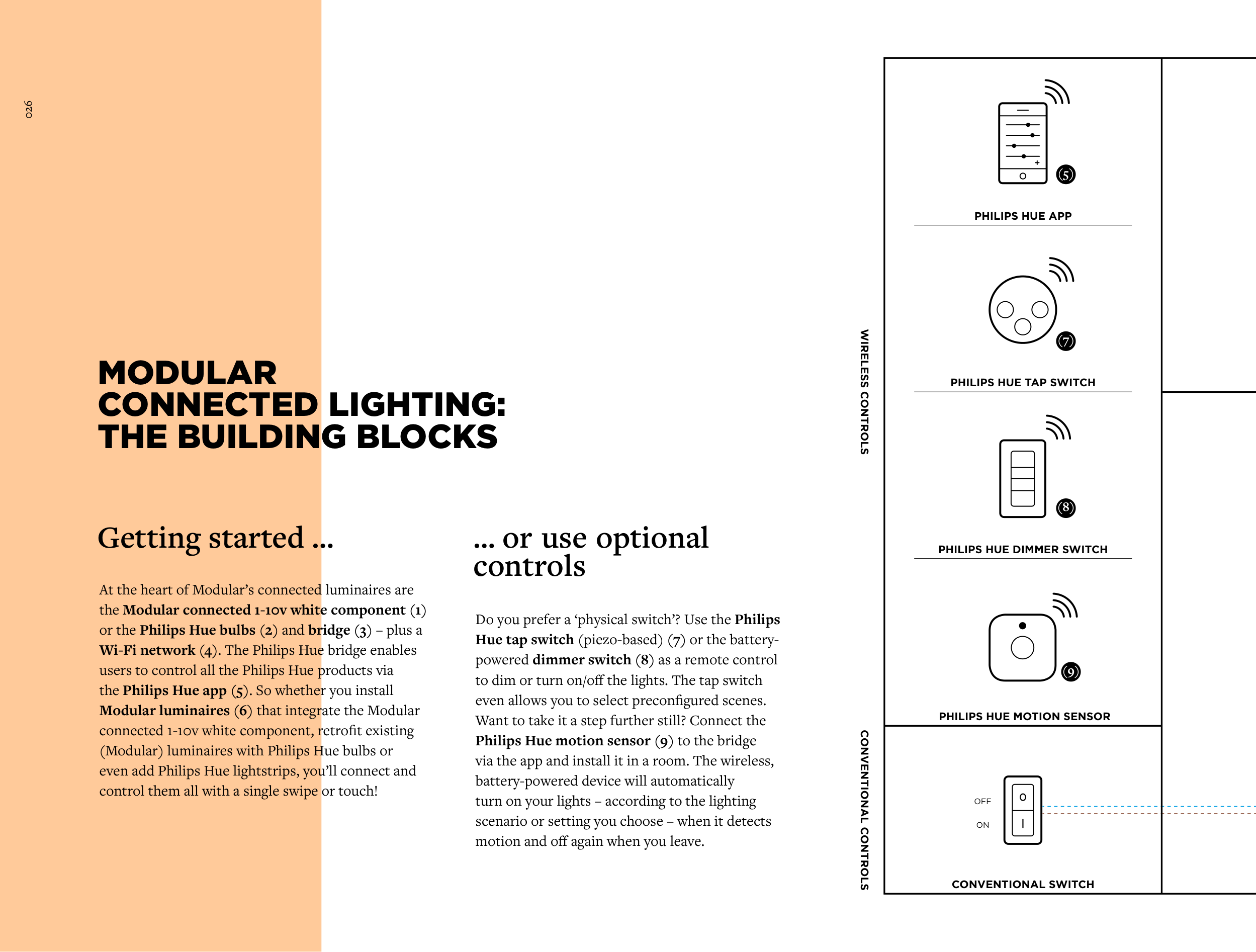
the Philips Hue app (5). So whether you install
Modular luminaires (6) that integrate the Modular
connected 1-10v white component, retrofit existing
(Modular) luminaires with Philips Hue bulbs or
even add Philips Hue lightstrips, you’ll connect and
control them all with a single swipe or touch!
Do you prefer a ‘physical switch’? Use the Philips
Hue tap switch (piezo-based) (7) or the battery-
powered dimmer switch (8) as a remote control
to dim or turn on/off the lights. The tap switch
even allows you to select preconfigured scenes.
Want to take it a step further still? Connect the
Philips Hue motion sensor (9) to the bridge
via the app and install it in a room. The wireless,
battery-powered device will automatically
turn on your lights – according to the lighting
scenario or setting you choose – when it detects
motion and off again when you leave.
WIRELESS CONTROLS
CONVENTIONAL CONTROLS
CONVENTIONAL SWITCH
OFF
ON
PHILIPS HUE APP
(5)
PHILIPS HUE DIMMER SWITCH
(8)
PHILIPS HUE TAP SWITCH
(7)
PHILIPS HUE MOTION SENSOR
(9)
026