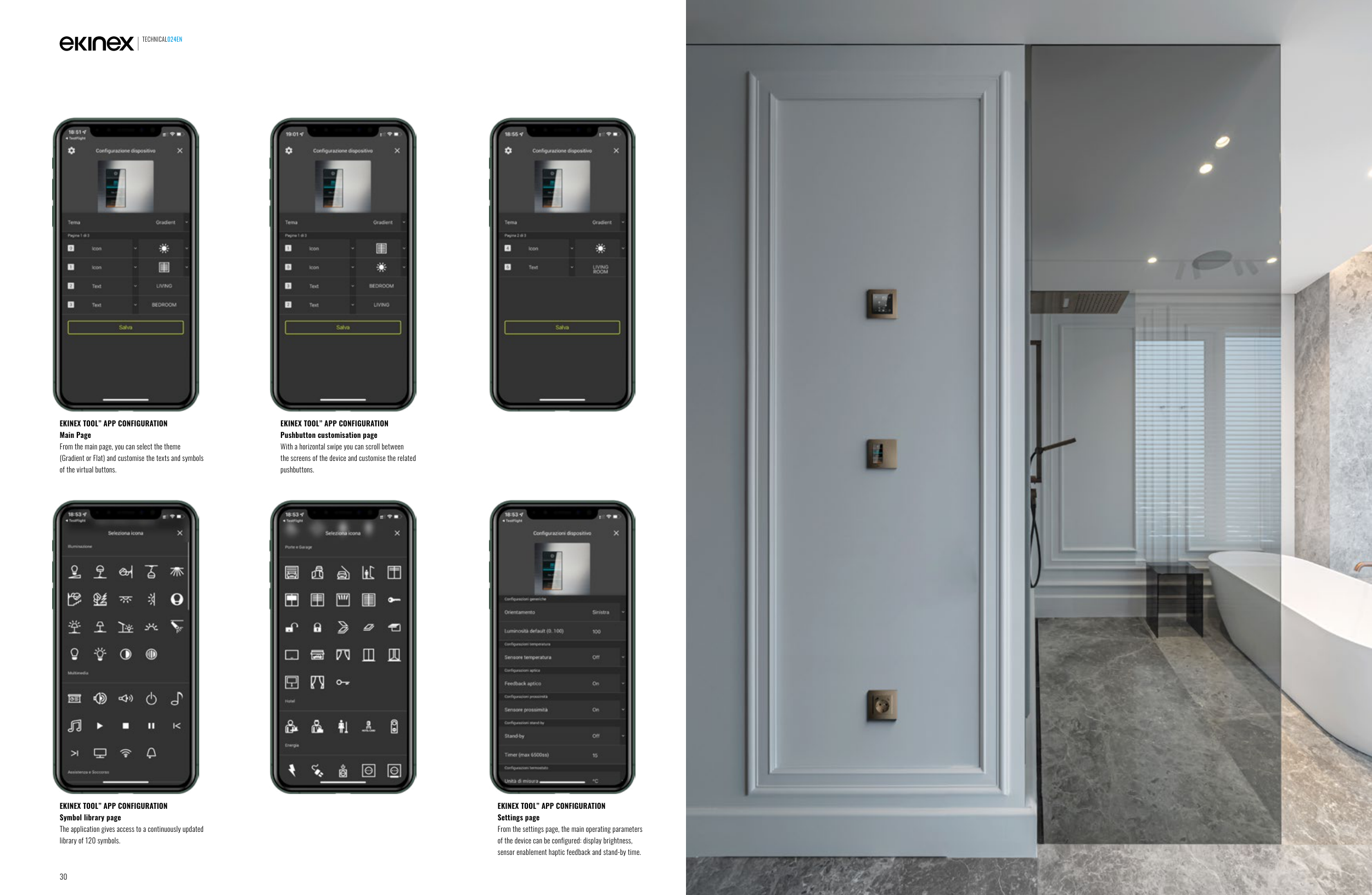
EKINEX TOOL” APP CONFIGURATION
Main Page
From the main page, you can select the theme
(Gradient or Flat) and customise the texts and symbols
of the virtual buttons.
EKINEX TOOL” APP CONFIGURATION
Symbol library page
The application gives access to a continuously updated
library of 120 symbols.
EKINEX TOOL” APP CONFIGURATION
Settings page
From the settings page, the main operating parameters
of the device can be configured: display brightness,
sensor enablement haptic feedback and stand-by time.
EKINEX TOOL” APP CONFIGURATION
Pushbutton customisation page
With a horizontal swipe you can scroll between
the screens of the device and customise the related
pushbuttons.
TECHNICAL024EN
30